Drag & drop equations
Compose worksheets with quick equation text input that's immediately visually rendered as a beautifully formatted math expression to place where you like.
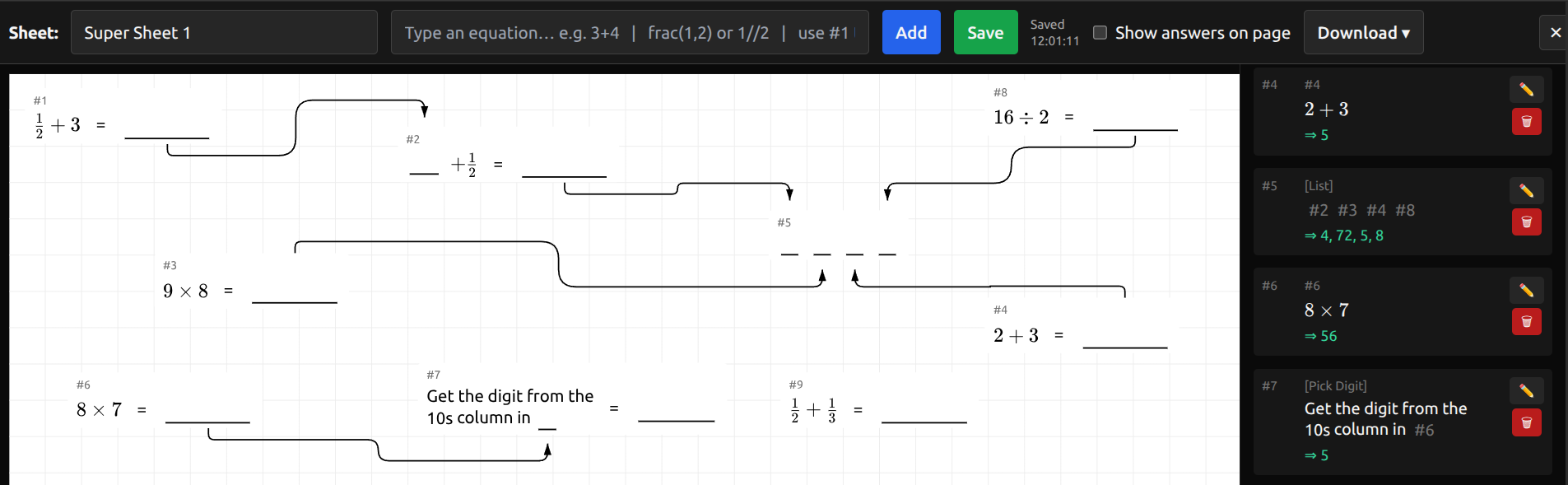
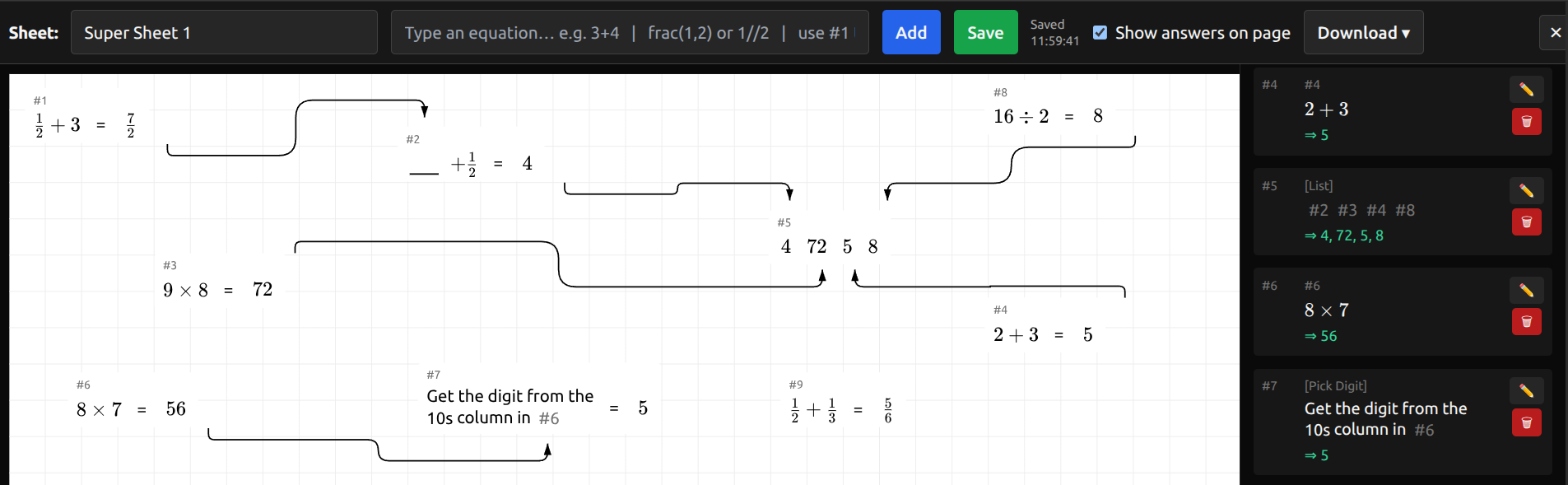
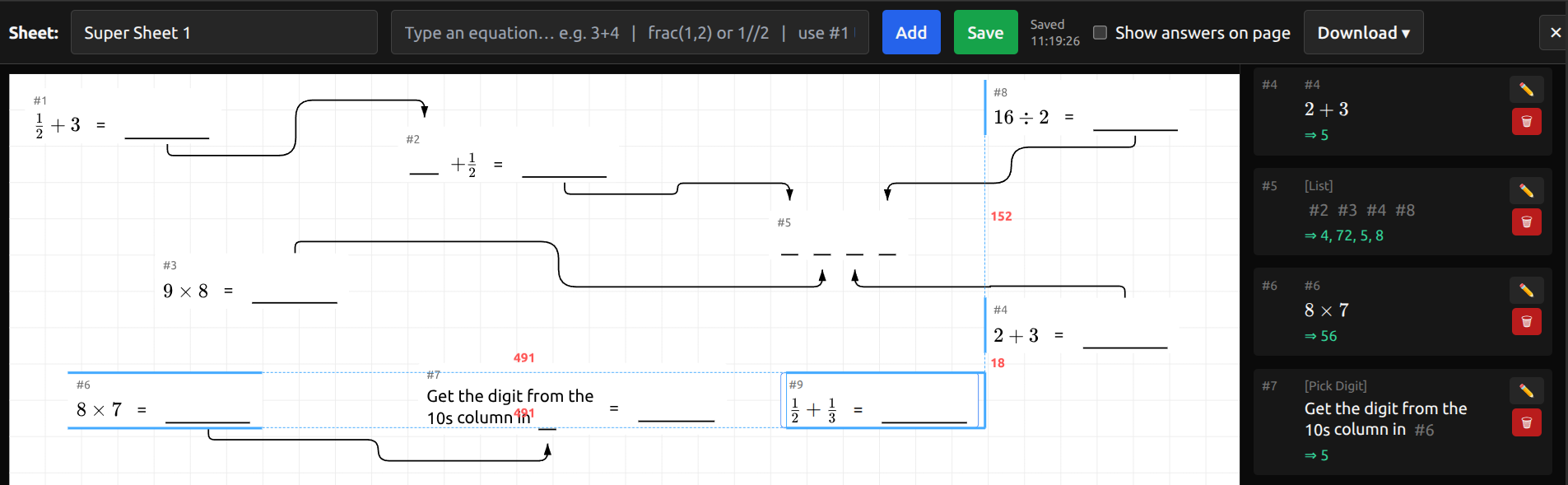
Design professional math worksheets with drag-and-drop equations, automatic visual connectors, and instant answer overlays. Perfect for teachers, tutors, and families who want playful practice sheets with puzzle-like fun.
See how MathBlast helps you build drag-and-drop worksheets, connect answers, and launch the playable game mode.
Compose worksheets with quick equation text input that's immediately visually rendered as a beautifully formatted math expression to place where you like.
Create a fun puzzle experience by linking the result of one equation to be the input to another with automatic obstacle-aware arrows.
Toggle student vs. instructor modes instantly—perfect for grading or sharing printable keys.
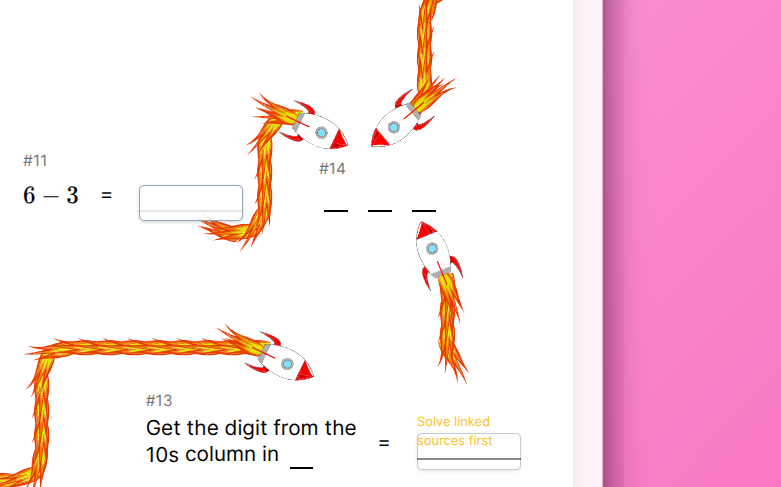
Print PDFs or share worksheets via a web link so learners can solve in the browser with unlockable hints and progress tracking.
Add the codelist element to your worksheet and lock a reward in a box with this code to open. Every solved problem reveals a digit, so students race to finish the sheet and crack the code. It’s an instant motivation boost that makes practice feel like a treasure hunt.
Create professional math worksheets in three steps.
Type expressions onto the canvas with live previews, including answers. Use other special elements like text or place-value pickers.
Arrange your equations, and snap items into place. Optionally link the output of one equation to be the input of another with automaically created link arrows to create an engaging worksheet.
Print to PDF, or copy a share link to publish a playable game for students. An answer sheet can be displayed at the click of a button.
Join educators who design engaging practice sets with MathBlast every week.
Get started free